Reflection Blog Post

My favorite projects this semester were the photo project and the video project. I liked the photo/ photoshop project because I was able to experiment with some new photography ideas. I had never worked with product photography, so it was fun to work with something new. I also challenged myself to work on my photoshop editing skills.

I also liked the video project. Again,  it challenged me to try new stuff with my photography. I ended up with the best photo set that I’ve had in a while. It was also fun to edit the video.  I don’t get very many chances to make videos, and I always have fun when I do. I also got to hang out with my friend Shane, who was the cameraman.

I learned how to edit more competently in adobe premiere. Before the course, I could only edit in iMovie. I know now where the effects panels are, and how to do more advanced stuff other than just cutting video down. I will definitely use this more in the future because I would like to go into video production later after college.

I see myself going into video production in some way shape or form. I could see myself making documentaries or doing news video production. I really liked the video production portion of things, so that made me even more excited to work on it in my future.

I wish that I knew how to keyframe a little bit better. I feel like we touched on it, but there’s still a lot more to learn, but I’ll learn in my free time.

I found that just using YouTube and looking through other content creators’ stuff has helped me the most. Watching tutorials is always helpful, but it’s more helpful for me to just watch short films and vlogs to get an idea of what people like, so I can take the things that I like and incorporate them into my project.
Final video project

This project is intended to be a fun new approach to portrait photography. I’ve seen a lot of videos on life hacks on photography. They’re always kind of fun to watch, I wanted to see if they would actually work. This video is going to be of me trying out life hacks related to photography.

My project is portrait photography, and I wanted to challenge myself to try new techniques.

The main idea of life hacks is that you can usually use everyday items to do them. They save money and supposedly, time. I challenged myself to find all of the materials to create this video at my residence hall.

I was inspired by YouTube videos of people explaining life hacks. They usually seem pretty impractical to me, but I wanted to try them to see if there is any merit to them. I was also inspired by Cody Ko’s videos of him trying other life hacks on YouTube. You can watch them here. 

I didn’t do a storyboard for this project, because I didn’t complete the planning assignment for this project.

I wanted to make this video with an informal vlog feel. I accomplished this by using a cameraman to follow me around. I also used a bunch of jump cuts to make it feel snappy and fresh, like a lot of modern-day YouTubers use.

Most of the video is comprised of only four shots broken up into multiple cuts. I then filmed on a second day, and did a photoshoot on the same day, so that added to the rest of the footage.

I used music from https://filmmusic.io “Modern Jazz Samba” by Kevin MacLeod (https://incompetech.com) License: CC BY (http://creativecommons.org/licenses/by/4.0/).

When I turned in the first draft of my assignment, the video was very unfinished. It was all about life hacks, but there were no life hacks in the video. We took on too many ideas, so we cut it down to three of the hacks that actually worked.

I ended up adding music, as was suggested by my peers. I also cut out some of the fluff in my project, which made it a little bit less entertaining, but it centralized and focused my project more on my theme.

I didn’t have that much trouble with this project, but I did have a hard time realizing which parts of the narrative were relevant and which parts I just thought were funny.


Video story assignment-rough draft

This project is intended to be a fun new approach on portrait photography. I’ve seen a lot of videos on life hacks on photography. They’re always kind of fun to watch, I wanted to see if they would actually work. This video is going to be of me trying out life hacks related to photography.

My project is portrait photography, and I wanted to challenge myself to trying new techniques.

The main idea of life hacks is that you can usually use every day items to do them. They save money and supposedly, time. I challenged myself to find all of the materials to create this video at my residence hall.

I was inspired by YouTube videos of people explaining life hacks. They usually seem pretty impractical to me, but I wanted to try them to see if there is any merit to them. I was also inspired by Cody Ko’s videos of him trying other life hacks on YouTube. You can watch them here. 

I didn’t do a storyboard for this project, because I didn’t complete the planning assignment for this project.

I wanted to make this video with an informal vlog feel. I accomplished this by using a camera man to follow me around. I also used a bunch of jump cuts to make it feel snappy and fresh, like a lot of modern day YouTubers use.

Most of the video is comprised of only four shots broken up into multiple cuts.

I still have to shoot more video for this project. I plan on getting a model, and using each life hack on the model. I’ll upload the pictures that I took to the video. I also plan on making the segment where I’m finding the materials shorter, and cutting out some of the fluff.

When I do the life hacks, I plan on showing a short tutorial on how I did the life hacks. I’ll also link to some of the YouTube channels that I found the life hacks on. I don’t plan on using any footage from those channels, but I do plan on finding where I got the hacks and shouting them out.

I didn’ have that much trouble with this project, but I still do need to cut it down quiet a bit. Finding what scenes are relevant are had when you have so much footage.

Audio Final: Snapchats of Photogs

This project was really engaging for me. I had never used Adobe Audition before this assignment, and I like learning new things. I have experiemented with garageband, but it was mostly making music. I was suprised by the similarities between the two.

I decided to create a monologue from an interview focusing on one of my friends who is a portrait photographer. It relates to my topic because it highlights why someone would want to be a portrait photographer, and reflects my own ideas about why portrait photography is such an amazing thing.

I listen to a lot of podcasts. Radiolab, in particular, is one of my favorites. I like how the host’s voice-over narration every once in a while, but mostly just let their guests talk. I wanted to focus on what Noah had to say rather than the questions that I had. I listened to a bunch of Radiolab before making my own audio story.

I wanted to put as much of Noah’s voice in the project as I could. I edited down the footage to make it sound more like a monologue than an interview. I also edited out a few of the pauses. I wanted to make it feel snappy and fast-paced.

I wanted to start off the story with a short audio clip to get the listener to pay attention. I did this by putting the camera sound at the front, and then I recorded some narration audio of myself. After that, I added the full interview with Noah and my voices. I then cut out the audio of myself speaking. I then used the cut tool to delete some of the less relevant bits when Noah spoke.

I recorded all of the audio for the first draft on my phone except for the camera sound. I found it a free sound website, here. 

For the final draft, I added some music. I found it here.

When I constructed my project, I used only the cut tool and the zoom in and out tool for more focused editing.

I actually redid this assignment several times. I was using the computers in the dimensions lab at Holland libraries, and it would randomly crash and delete my progress. I ended up coming back a different day to retry it. I’m not sure what was wrong with it, but the computer that I used the second time worked fine.

I read the feedback for my first draft, and I learned two things. The audio sounded empty, and it ended abruptly. For my final draft, I took this feedback into consideration. I found some music that matched the feeling of the interview, and I put it softly in the background of the interview.

I also put a fade in and out of the background music. It helped to make it feel less abrupt at the end, because I made the music go longer than the audio.  To help the abruptness, I also added Noah saying goodbye. I also faded out the laughing at the very end.


Audio Draft Assignment: Snapshots of Photographers

This project was really engaging for me. I had never used Adobe Audition before this assignment, and I like learning new things. I have experiemented with garageband, but it was mostly making music. I was suprised by the similarities between the two.

I decided to create a monologue from an interview focusing on one of my friends who is a portrait photographer. It relates to my topic because it highlights why someone would want to be a portrait photographer, and reflects my own ideas about why portrait photography is such an amazing thing.

I listen to a lot of podcasts. Radiolab, in particular, is one of my favorites. I like how the hosts voice-over narration every once in a while, but mostly just let their guests talk. I wanted to focus on what Noah had to say rather than the questions that I had. I listened to a bunch of Radiolab before making my own audio story.

I wanted to put as much of Noah’s voice in the project as I could. I edited down the footage to make it sound more like a monologue than an interview. I also edited out a few of the pauses. I wanted to make it feel snappy and fast-paced.

I wanted to start off the story with a short audio clip to get the listener to pay attention. I did this by putting the camera sound at the front, and then I recorded some narration audio of myself. After that, I added the full interview with Noah and my voices. I then cut out the audio of myself speaking. I then used the cut tool to delete some of the less relevant bits when Noah spoke.

I recorded all of the audio on my phone except for the camera sound. I found it a free sound website, here. 

When I constructed my project, I used only the cut tool and the zoom in and out tool for more focused editing.

I actually redid this assignment several times. I was using the computers in the dimensions lab at Holland libraries, and it would randomly crash and delete my progress. I ended up coming back a different day to retry it. I’m not sure what was wrong with it, but the computer that I used the second time worked fine.


Final Logo

Camera-Logo-best-quality
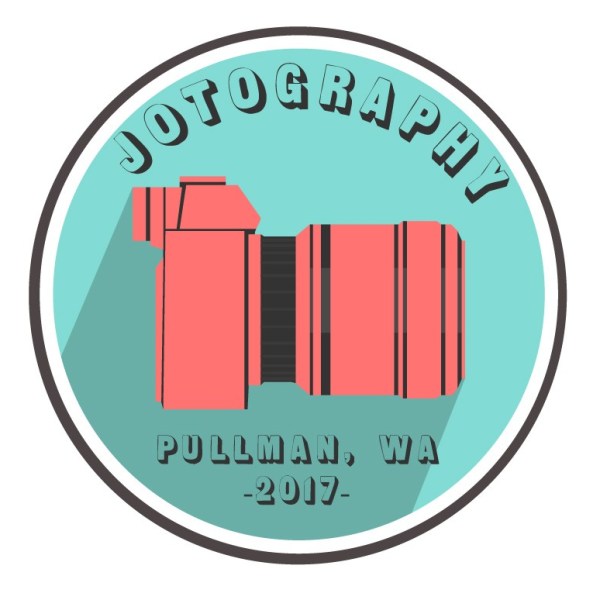
Jotography logo-Created 2019 by Joseph Gardner

I decided to create a very simplistic camera for this project. The idea relates to my course topic “portrait photography” because it is a very literal interpretation of the subject. It is a camera, and it is how I create my art. I especially focused on the coloration, adding vibrant but contrasting colors to draw the viewer’s eye to the image, and focus on the camera in the center. 

I used minimalism as a design influence. I was inspired by the circular design of a lot of modern logos, such as the Starbucks logo or the logo for Google. They’re both simplistic, use circles and have very few colors. They’re also flat, with no graduation. I researched some modern-day logos, and noticed that a lot of them are circular, such as the logos mentioned. 

For my first draft, I wanted to convey to the viewer that my photography is modern and artistic. I wanted to use a very simple and easily digestible design to show that I am in touch with modern graphic design themes.  A lot of my design utilizes simple colors, with a lot of contrast. I wanted to show this through the use of color in my design. 

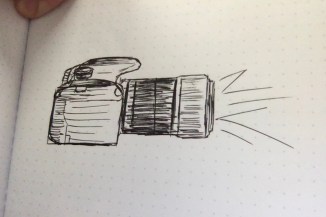
When I went into the project, I didn’t know what I was going to create. I knew that I wanted to convey the fact that it is a photography business, and the easiest way to convey that would be to create a camera. I purposely did not include any sort of text so that the reader would focus on the camera. I then took a picture of a camera, downloaded it from Google, and traced the basic shapes of the camera with the pen tool. I then did this a second time, but I just did it with the outlines of the camera. I then put it behind the red blocks to bring the design together and make it into a more coherent shape. I then created two circles and put them inside of each other. I put that in the background of the camera object. 

I received one piece of feedback, and it said that I should consider adding some text to the body of the logo. I agreed, so I did just that. I used the same technique as the tutorials showed in the cougar logo to create a circular wrapped text. 

I also considered the feedback of changing the colors, experimented with it, and decided to keep them the same as they were before. I like the fact that it draws attention to the camera, so I didn’t change it. It is bright, but it makes the reader notice it. 

I also flipped the camera in my revision. It makes the logo look more progressive, because it’s facing forward. 

The last thing that I did was to create a shadow on the camera. This just adds a bit more depth to the image. I also added some detail to the body of the camera to create more texture and depth.

I created all of the elements used to create the project. I used the shape tool to create the circles, then I edited the shapes line weight to create variation and make it more pleasing to look at, and changed the color of the circles. I used the pen tool for the entire camera. 

I encountered difficulty with centering everything on the page. The ruler tool helps a lot, and so does the align by tool with the boxes. Using that, I was able to position things a lot easier than it is in Photoshop. I really strongly suggest that students should use similar techniques in positioning things that are supposed to line up or are symmetrical.

I used an image of a Sony a711 for a reference image found at https://www.richmondcamera.com/sony/sony-a7ii-w-28-70-full-frame-mirrorless-camera

Draft Logo

Camera Logo2
This logo is for my photography account, and it was created by Joseph Gardner.

I decided to create a very simplistic camera for this project. The idea relates to my course topic “portrait photography” because it is a very literal interpretation of the subject. It is a camera, and it is how I create my art. I especially focused on the coloration, adding vibrant but contrasting colors to draw the viewer’s eye to the image, and focus on the camera in the center. 

I used minimalism as a design influence. I was inspired by the circular design of a lot of modern logos, such as the Starbucks logo or the logo for Google. They’re both simplistic, use circles and have very few colors. They’re also flat, with no graduation. I researched some modern day logos, and noticed that a lot of them are circular, such as the logos mentioned. 

I want to convey to the viewer that my photography is modern and artistic. I wanted to use a very simple and easily digestible design to show that I am in touch with modern graphic design themes.  A lot of my design utilizes simple colors, with a lot of contrast. I wanted to show this through the use of color in my design. 

When I went into the project, I didn’t know what I was going to create. I knew that I wanted to convey the fact that it is a photography business, and the easiest way to convey that would be to create camera. I purposely did not include any sort of text so that the reader would focus on the camera. I then took a picture of a camera, downloaded it from Google, and traced the basic shapes of the camera with the pen tool. I then did this a second time, but I just did it with the outlines of the camera. I then put it behind the red blocks to bring the design together and make it into a more coherent shape. I then created two circles, and put them inside of each other. I put that in the background of the camera object. 

I created all of the elements used to create the project. I used the shape tool to create the circles, then I edited the shapes line weight to create variation and make it more pleasing to look at, and changed the color of the circles. I used the pen tool for the entire camera. 

I encountered difficulty with centering everything on the page. The ruler tool helps a lot, and so does the align by tool with the boxes. Using that, I was able to position things a lot easier than it is in Photoshop. I really strongly suggest that students should use similar techniques in positioning things that are supposed to line up or are symmetrical.

I used an image of a Sony a711 for a reference image found at https://www.richmondcamera.com/sony/sony-a7ii-w-28-70-full-frame-mirrorless-camera

Blog at WordPress.com.

Up ↑

Design a site like this with WordPress.com
Get started